
Download PassportPicture – Free Passport Photo Maker & ID Card Tool
PassportPicture is a lightweight desktop utility designed to turn a regular digital snapshot into a perfectly sized passport or ID photo in seconds. In an era where photo‑ID cards are required for everything from airline travel to corporate access, the traditional photo‑booth experience feels outdated, costly, and often yields unsatisfactory results. PassportPicture eliminates the need for a physical booth by allowing you to import, calibrate, and print compliant identity pictures directly from your computer. The trial version stamps a subtle “demo” watermark across each image, giving you a clear preview of the final output before you decide to upgrade for the full, watermark‑free experience at a modest $15 price point. While the software is optimized for United States passport and ID specifications, its flexible sizing engine can be adapted for many international formats, making it a handy tool for frequent travelers, small businesses, and anyone who regularly needs to produce official photo IDs.
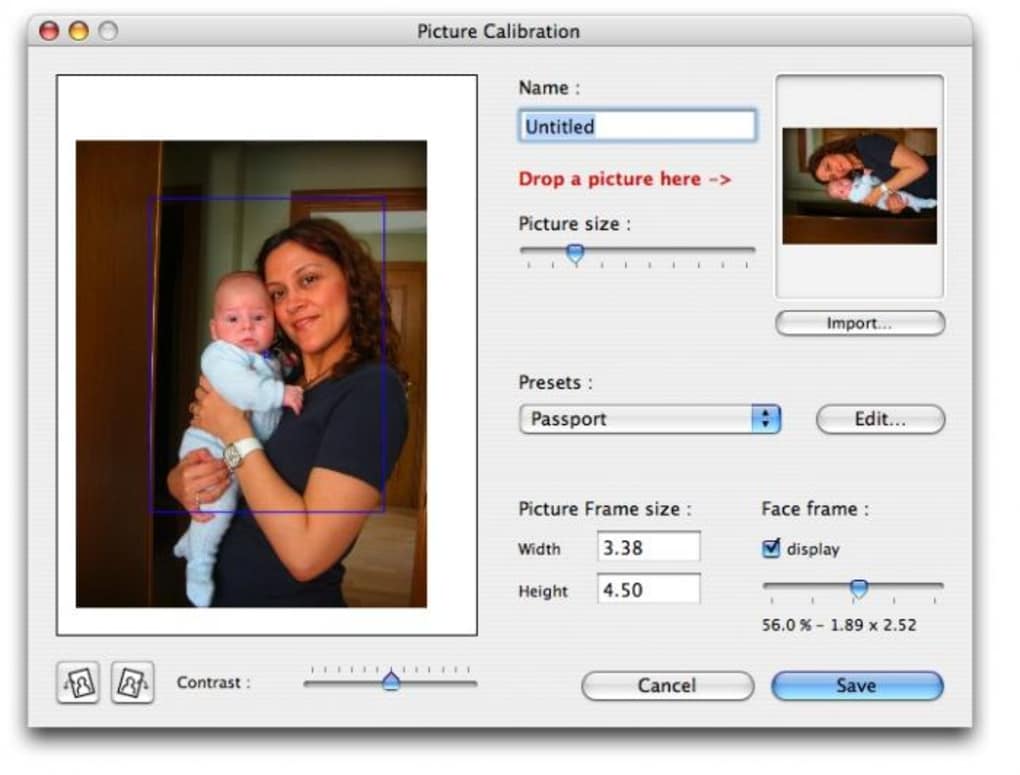
The application’s user‑friendly interface guides you through every step: selecting a source image, aligning facial features with on‑screen guides, choosing the appropriate document type, and finally sending the print job to any standard inkjet or laser printer. By handling the often‑confusing measurements and background‑color requirements automatically, PassportPicture saves both time and money. Whether you’re a freelance graphic designer, a school administrator preparing student IDs, or a busy professional needing a quick passport renewal, this tool puts professional‑grade photo preparation into the palm of your hand.
Key Features of PassportPicture
- Automatic Size & Crop: Pre‑loaded templates for U.S. passports, visa photos, driver’s licenses, and most common ID cards ensure each picture meets exact government specifications.
- Real‑Time Face Alignment: Built‑in facial detection guides you to position eyes, chin, and shoulders within the required frame, reducing re‑shots.
- Background Color Adjustment: One‑click conversion to solid white or off‑white backgrounds, complying with most agency rules.
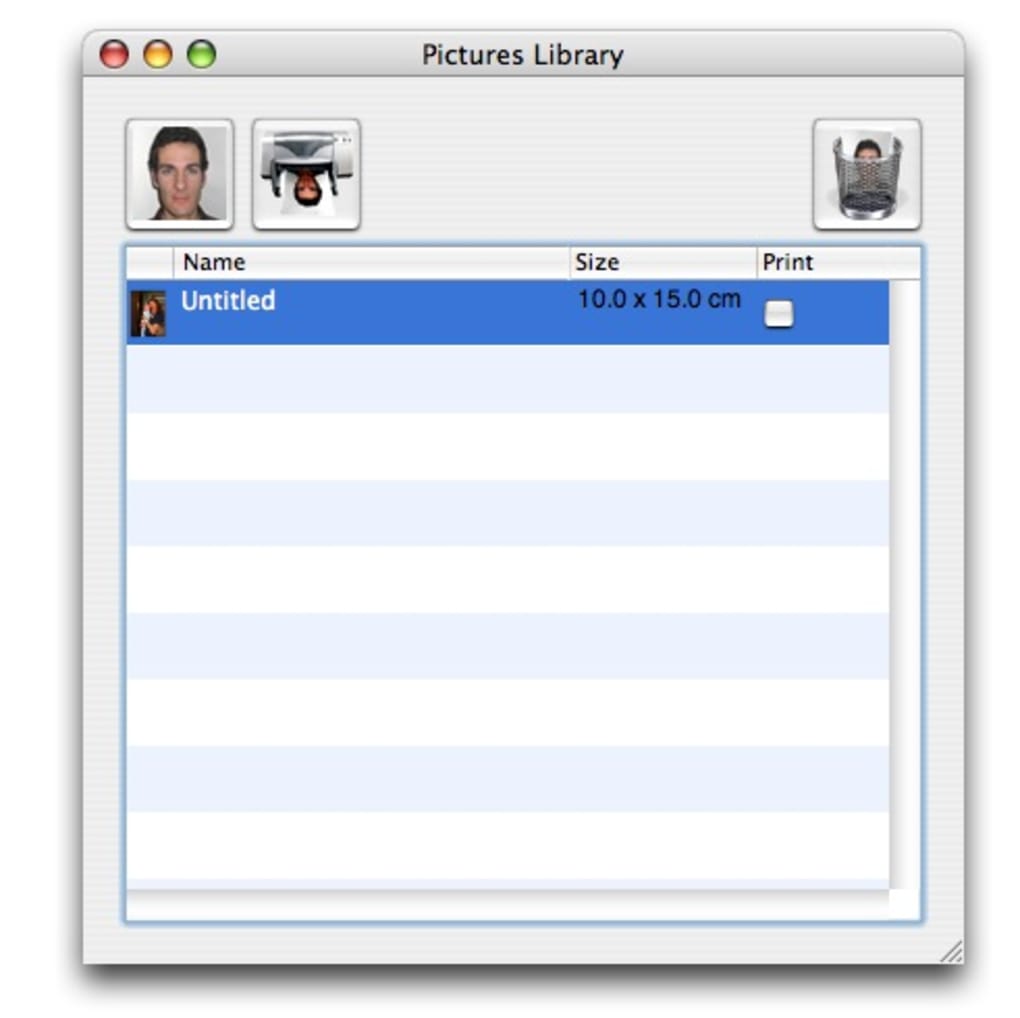
- Batch Processing: Import multiple photos and generate a printable PDF sheet with several copies per page, perfect for office environments.
- Print Preview & Watermark: The free trial adds a “demo” watermark, allowing you to evaluate output quality before purchasing the full version.
- Multi‑Platform Support: Available for Windows 10/11 and macOS 10.15+; a portable version runs without installation on USB drives.
- Secure Local Processing: All image manipulation occurs on your computer; no cloud upload means your personal photos stay private.
- Affordable Upgrade: Full version unlocks unlimited prints and removes watermarks for a one‑time fee of $15.
Installation & Easy‑to‑Use Workflow
Step‑by‑Step Installation
Getting PassportPicture up and running is straightforward. Download the installer from the official website, then double‑click the .exe file for Windows or the .dmg package for macOS. Follow the on‑screen prompts to accept the license agreement and choose an installation folder. The installer bundles all necessary libraries, so you won’t need to hunt for additional runtimes. For users who prefer a portable solution, a zipped version is available; simply extract the folder to any location and launch PassportPicture.exe or PassportPicture.app directly.
Using the Application
Once launched, the main dashboard presents three primary actions: Import Photo, Select Template, and Print/Export. Click Import Photo to browse your local image files; the software accepts JPEG, PNG, and BMP formats up to 25 MB. After loading, the built‑in alignment overlay appears, highlighting the eye line, nose tip, and chin position. Drag the image until the facial landmarks align with the green markers. If the background isn’t already plain, use the Background Fix button to replace it with a compliant white shade automatically.
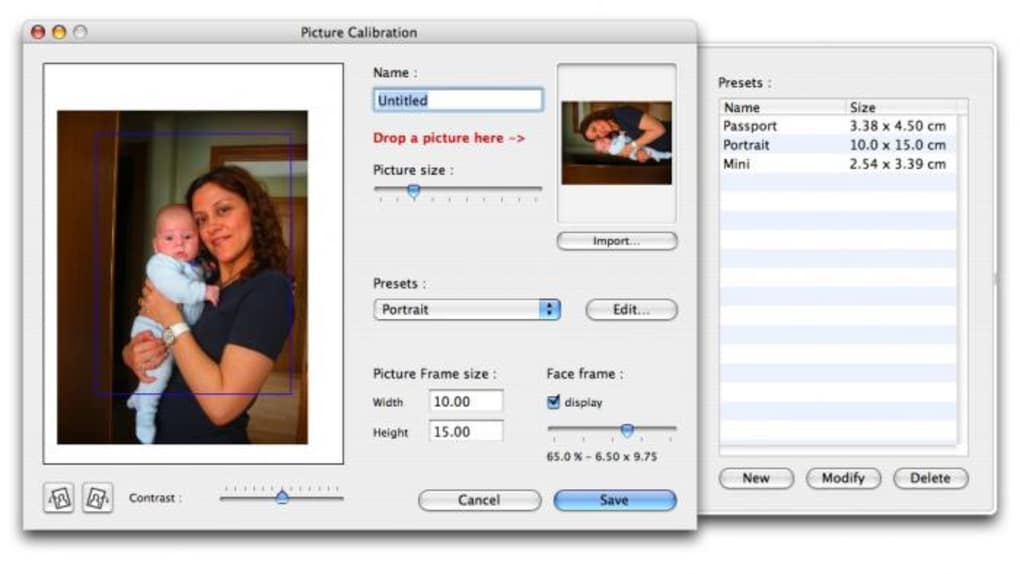
Next, choose the appropriate Template from the dropdown menu—options include “U.S. Passport (2×2 in)”, “U.S. Visa (2×2 in)”, “Driver’s License (1.4×1.8 in)”, and several international formats.
The software instantly resizes and crops the image to match the selected dimensions. Finally, click Print/Export. In the print dialog, you can select the number of copies per sheet, paper size (A4 or Letter), and whether to include a border for easier cutting.
For a digital copy, choose “Export as PDF” and the application will generate a high‑resolution file ready for submission to embassies or printing services.
System Compatibility and Requirements
PassportPicture has been engineered to run smoothly on the most common desktop operating systems:
- Windows: 10 (64‑bit) and Windows 11 – minimum 2 GB RAM, 200 MB free disk space.
- macOS: 10.15 Catalina or later – minimum 2 GB RAM, 200 MB free disk space.
While a dedicated graphics card is not required, the application benefits from a modern GPU that supports hardware‑accelerated image processing, especially when handling batch jobs. The software is compatible with any standard inkjet or laser printer that supports common page sizes (A4, Letter, Legal). For best results, use a printer capable of borderless printing at 300 dpi or higher to maintain crisp facial details.
Because all processing occurs locally, PassportPicture does not require an internet connection after installation, though an occasional online check is performed to verify license status for the full version. The portable version works on locked‑down corporate machines as long as the user has permission to execute the binary.
Pros and Cons
Advantages
- Fast, on‑the‑spot generation of passport‑compliant photos without visiting a booth.
- Accurate templates for U.S. government documents and many international formats.
- User‑friendly interface with automatic facial alignment and background correction.
- Batch processing saves time for businesses that need multiple IDs.
- Secure local processing keeps personal images private.
- One‑time affordable upgrade eliminates recurring subscription fees.
Disadvantages
- Free trial adds a visible “demo” watermark, which may be confusing for first‑time users.
- Limited to Windows and macOS; no native Linux or mobile app version.
- International template library is not exhaustive; users may need to create custom sizes manually.
- Requires a decent printer; low‑quality printers may produce subpar results.
Frequently Asked Questions
Can I use PassportPicture for non‑U.S. passport photos?
Yes. Although the default templates focus on U.S. specifications, you can create custom dimensions for most international passports by entering the exact width and height in the “Custom Size” option.
Does the software store my photos in the cloud?
No. All image processing happens locally on your computer, and no data is uploaded to external servers, ensuring complete privacy.
What printers are compatible with PassportPicture?
Any standard inkjet or laser printer that supports A4 or Letter paper sizes will work. For best results, use a printer capable of at least 300 dpi resolution and borderless printing.
Is there a bulk‑import feature for large photo batches?
Yes. The “Batch Process” button lets you select multiple images at once, apply the same template, and generate a multi‑page PDF with several copies per page.
How do I upgrade from the demo version to the full version?
Click the “Upgrade” button within the application, which redirects you to the secure checkout page. After payment ($15 USD), you receive a license key that instantly removes the watermark and unlocks unlimited printing.
Conclusion & Call to Action
PassportPicture fills a clear niche for anyone who needs fast, accurate, and affordable passport or ID photos without the hassle of a photo booth. Its intuitive workflow, precise templates, and secure local processing make it a reliable tool for travelers, small businesses, and schools alike. While the free trial’s watermark may feel restrictive, the modest $15 upgrade price is a small investment compared to the cost of professional photo services, especially when you consider the ability to produce unlimited, watermark‑free prints.
If you regularly require passport‑size images or want to eliminate the inconvenience of visiting a studio, download PassportPicture today, try the demo, and experience the convenience of creating compliant ID photos from the comfort of your own desk.
PassportPicture delivers a solid balance between simplicity and functionality. The automatic alignment and built‑in templates dramatically reduce the time spent fiddling with photo dimensions, while the batch processing feature is a real time‑saver for office environments. The only notable drawbacks are the watermark in the trial version and the lack of native Linux support. Overall, the tool is a worthwhile purchase for anyone needing frequent, high‑quality ID photos.







